Talk it through.
Follow through.

Say what’s on your mind out loud. Followthrough sorts it, remembers it, and hands you the next step every morning. No typing. No forms.

Capture

Say it messy.
It gets sorted.

Hold to speak, or tap once and think out loud with your phone on the desk. Errands, worries, birthdays, half-made plans. Each one is filed where it belongs, and you can see exactly what was kept.

Today

Wake up knowing
where you left off.

One clear next step, what’s on the clock, and who to reach out to. Your whole morning takes about a minute to read.

Help me do it

Stuck starting?
Make it smaller.

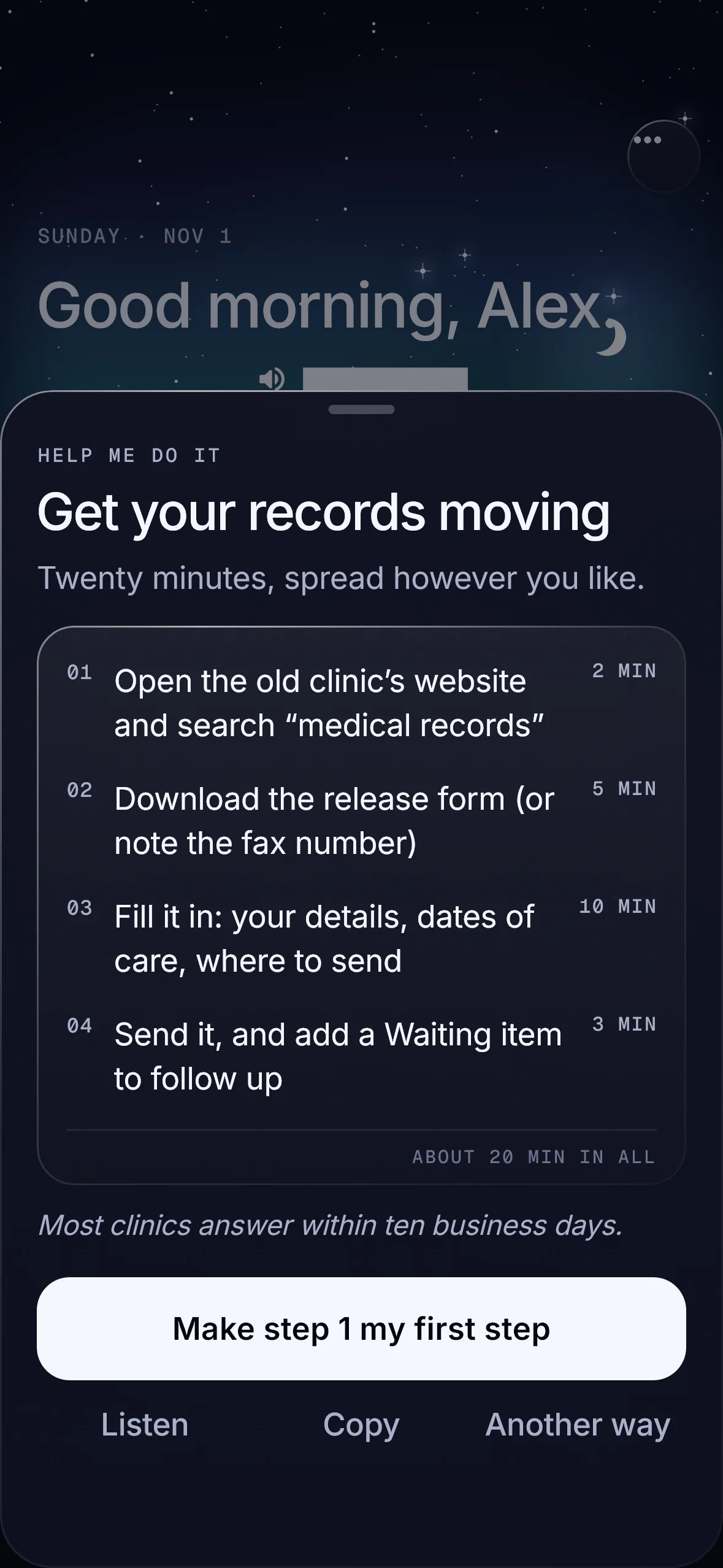
Any task breaks down into a few short steps with honest time estimates. The first one is small enough to start right now.

Goals

Set a goal by
talking it through.

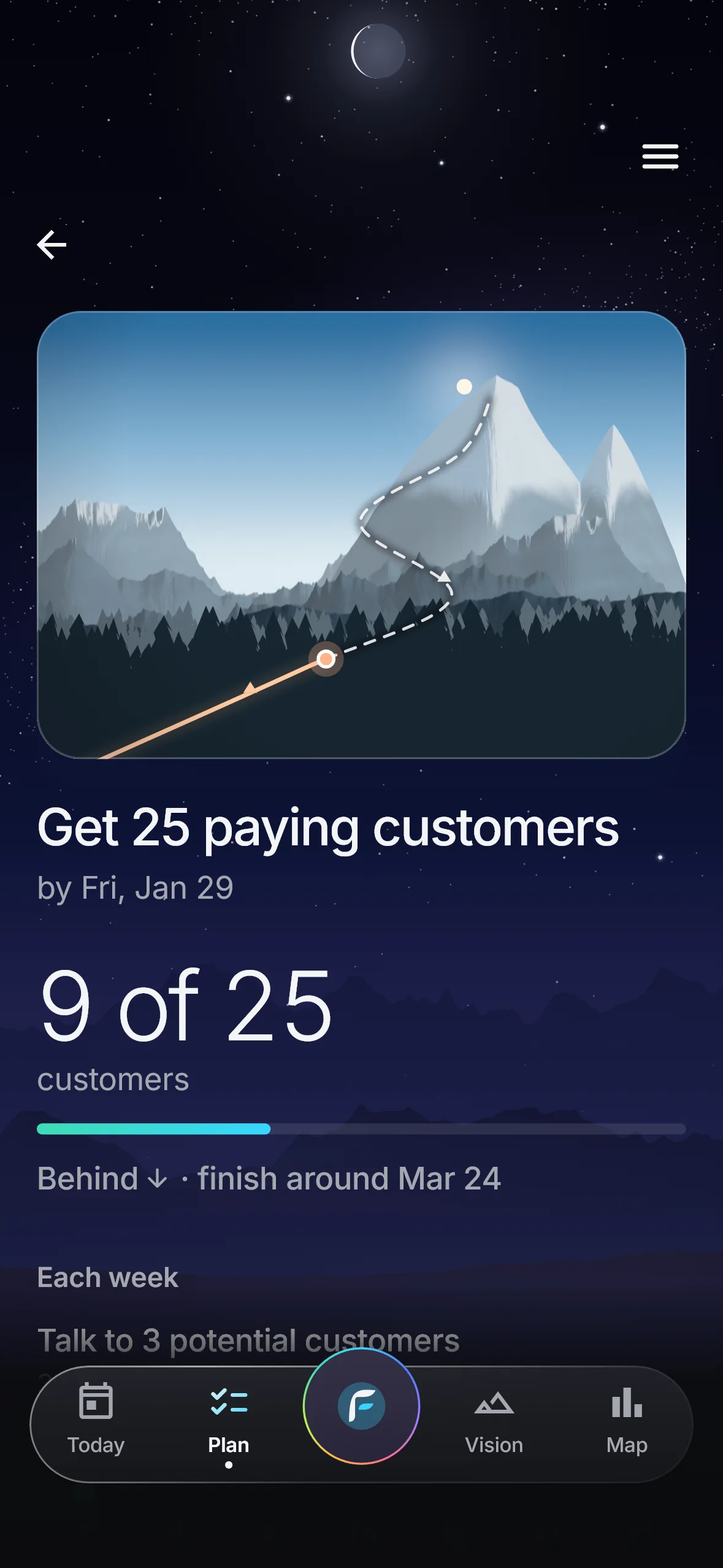
Say what you want and why. It asks a few good questions, then shows you the climb: where you are, what’s next, and when you’ll get there.

Map

Your whole life,
one sky.

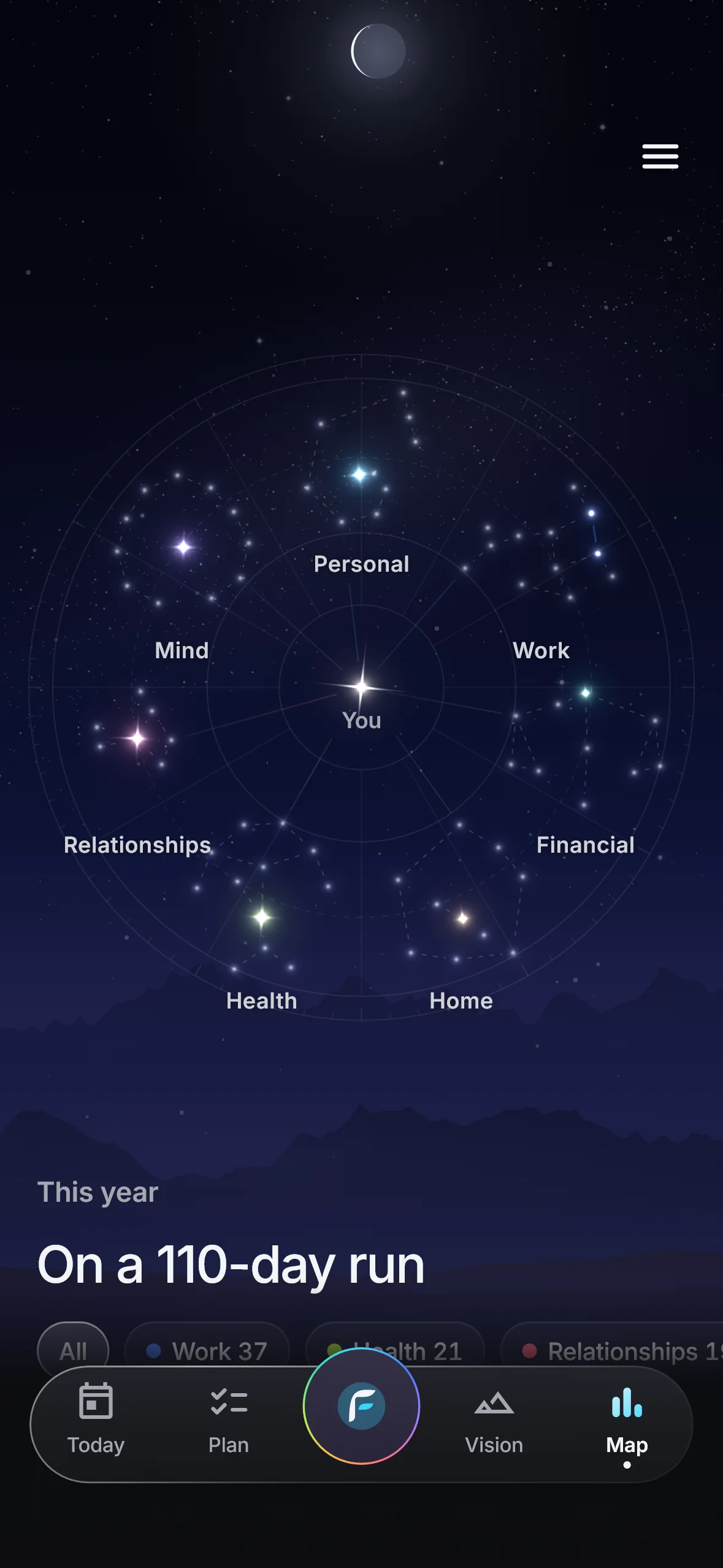
Seven parts of a life, drawn as constellations. Stars light up as you tend each one. Tap any of them to fly in and see what lives there.
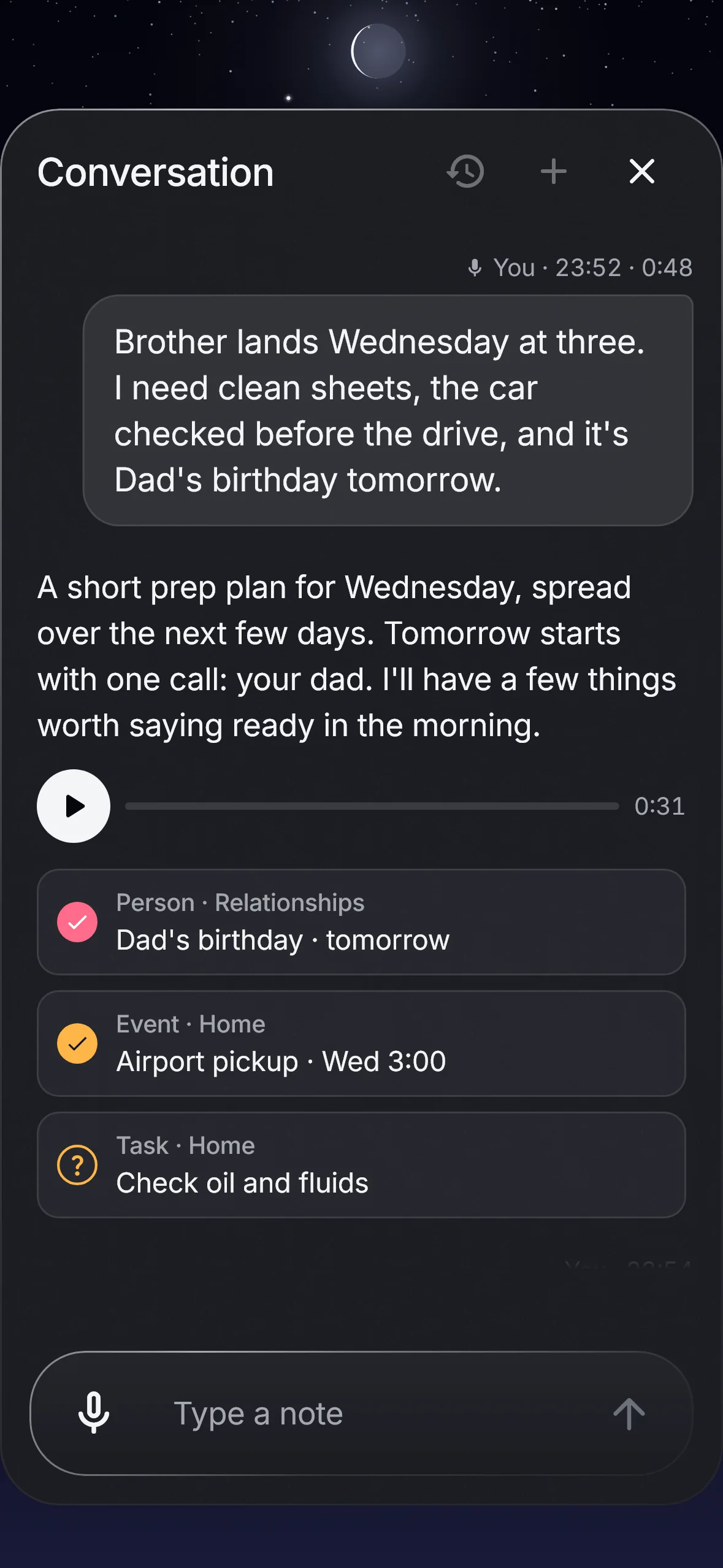
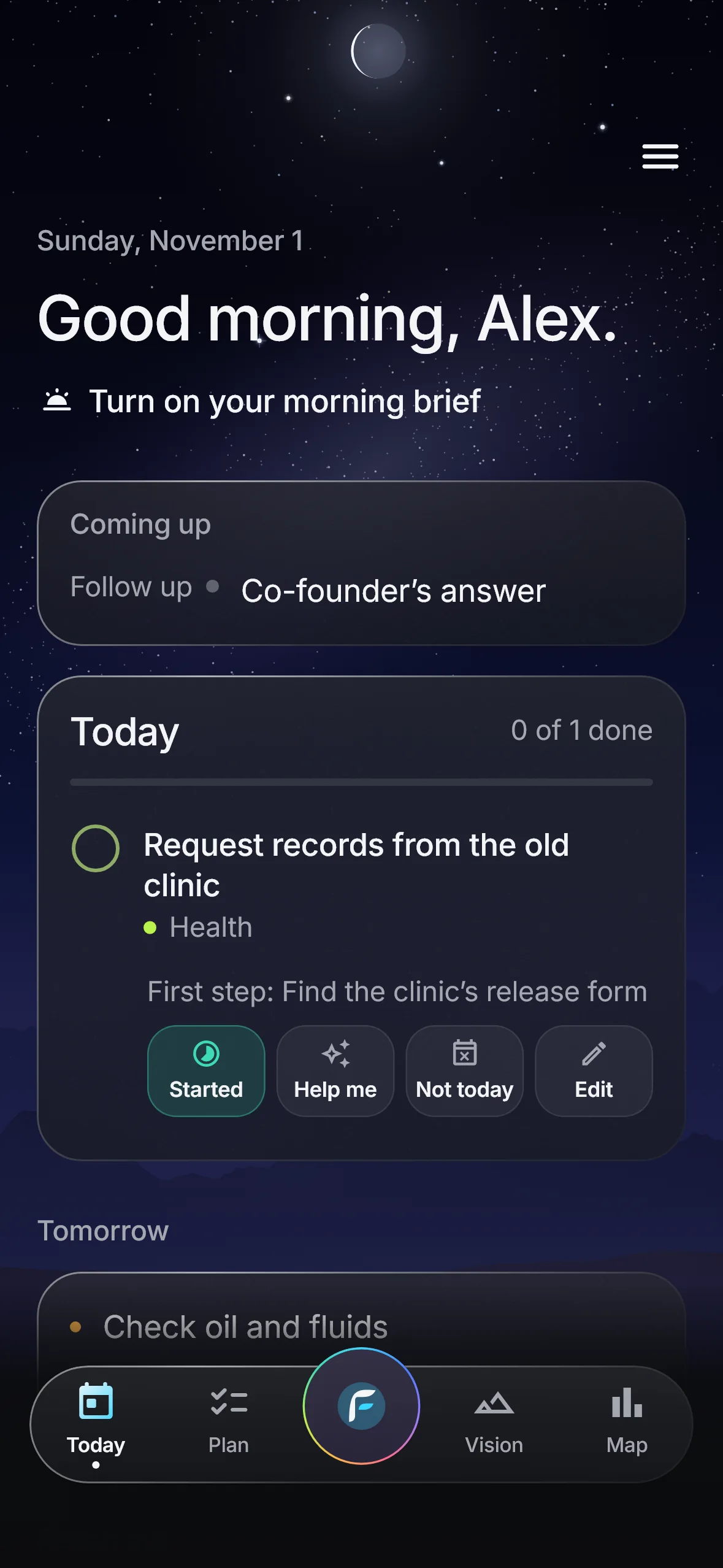
A voice thread. Followthrough replies with a short spoken summary and the three items it saved. The Today screen: the date and greeting, what is on the clock, and today's list with a first step and ways to start. Help me do it, breaking a records request into four short timed steps. A goal shown as a mountain with a trail to the summit, progress so far and this week’s steps. The Map: seven parts of life drawn as constellations around you, the busiest grown into arms of their own.

It holds the details.You stay in charge.

Memory

Nothing is remembered behind your back.

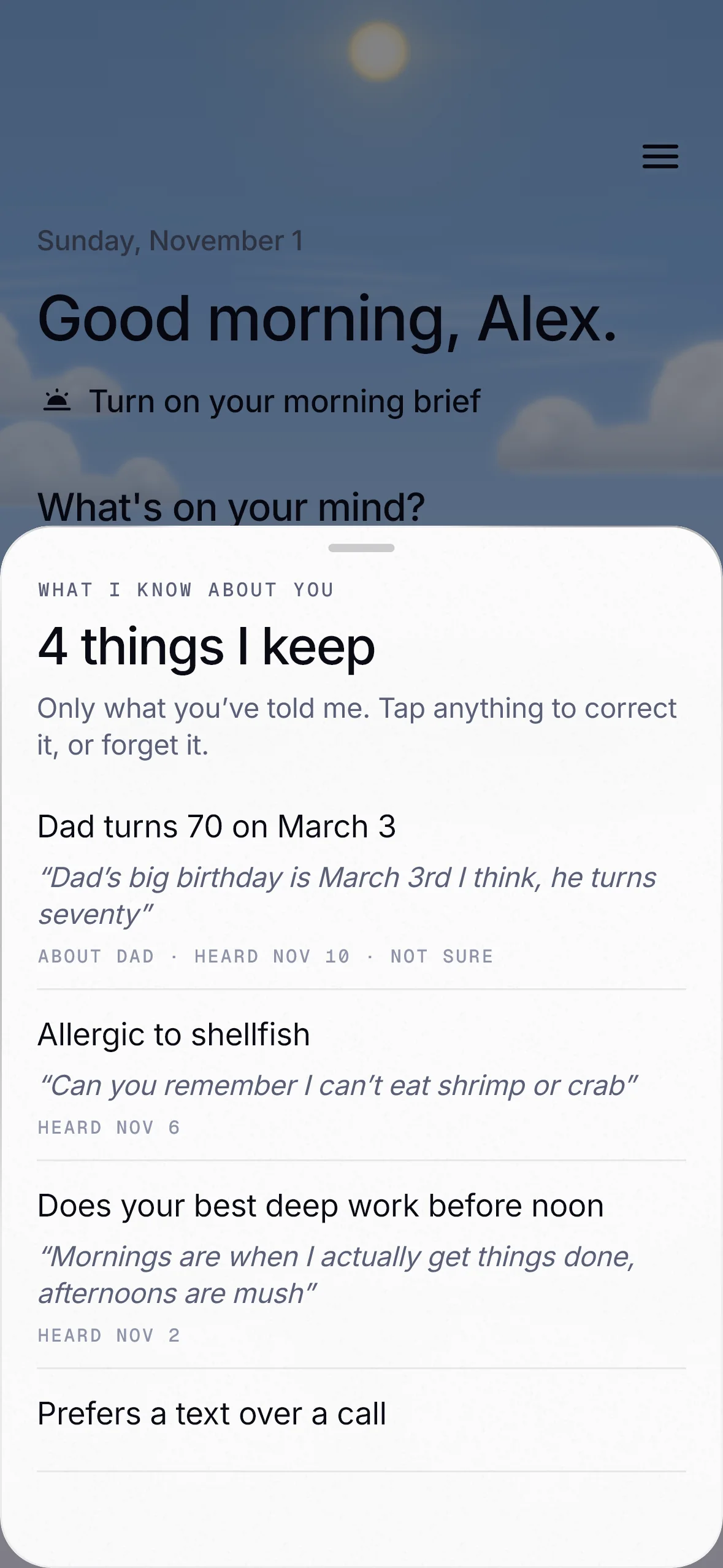
Every fact sits next to the sentence it came from. Fix it or forget it in two taps.

The memory list. Each kept fact is shown with the user's own quoted words and the date it was heard.
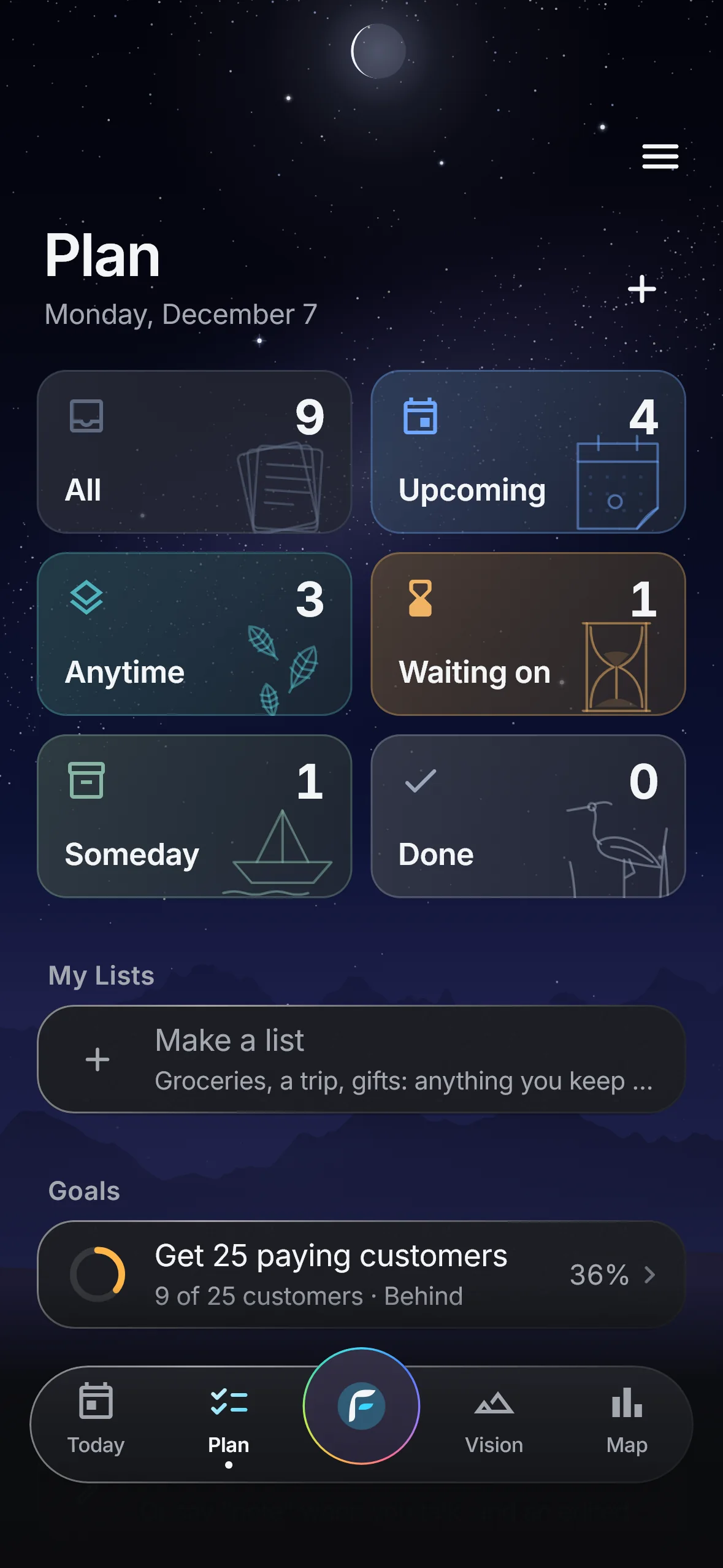
The Plan screen: notes first, then goals with their progress and the next two weeks.

Plan

Big days get a prep plan, spread across your week.

Calm by design

No streaks.
No red badges.
No guilt.

  • Quiet hours
  • A daily limit on nudges
  • Works offline
  • Backs off when you’re busy
  • Never sold, never used for ads
  • Export or delete everything

The whole routine

60 seconds

MorningRead your day in about a minute
EveningClose it out in two or three
  • “We drive out Wednesday, so I need to check the oil and get the guest room ready. And Dad turns seventy tomorrow.”

    Became a prep plan and a birthday call
  • “Pickup is at three all week, Maya’s party is Saturday and I still haven’t ordered the cake.”

    Became two events and one task
  • “I’m on nights through Thursday. Remind me the credits are due on the thirtieth.”

    Became one deadline, with quiet hours moved
  • “Finals start Monday, my room is a disaster and I never refilled my prescription.”

    Became three tasks, smallest first
  • “I keep meaning to call Sam back. This week, for real.”

    Became one promise, kept in view

Example voice notes, and what each one turns into.

Built for full lives

With Followthroughyou can finally

Leave for the trip with nothing left undone

Prep plan · Wednesday
  • MonCheck oil and fluids
  • TueGet the guest room ready
  • WedAirport pickup, 3:00

Call on the right day, with something to say

Worth saying

Ask how the garden turned out. He was replanting in spring.

Start again without the guilt trip

Momentum

Yesterday didn’t happen. Today can.

Go to bed with a quiet head

Close the day · 2 min

Three loose ends parked. Tomorrow starts with one call.

Questions,plainly answered.

How do I get Followthrough?

Open this page on your phone and tap Get the app. On Android it installs in one tap. On iPhone or iPad, tap Share, then Add to Home Screen. It opens full screen like any other app.

Is it on the App Store and Google Play?

Not yet. Both are coming soon. Until then, installing from this page gives you the full app.

Can I use it on my computer?

No. Followthrough is made for your phone: you talk to it, and it reaches out at the right moment. On a computer, scan the code at the bottom of this page to open it on your phone.

Does it work offline?

Yes. Your data lives on your phone, so Today, Plan, Vision and Map open and stay editable without a connection, then sync when you’re back online.

What happens to what I tell it?

It is never sold, never used for advertising, and never used to train AI models. Everything it keeps is listed under What I know about you, next to the sentence it came from. You can correct it, forget it, export everything, or delete your account in Settings. The privacy page has the details.

Is this a to-do app or a chatbot?

Neither. To-do apps want typing. Chatbots forget by morning and never speak first. Followthrough listens, keeps what matters where you can see it, and brings it back at the right time.

From good intentionsto actual follow-through

Scan with your phone’s camera, or open this page on your phone.

QR code that opens Followthrough on your phone
Free on iPhone and AndroidGet the app Coming soonApp Store, Google Play
Open on your phone